Cloud Provider Registration Requirements: Why Sign-Up Workflows Are Getting Stricter
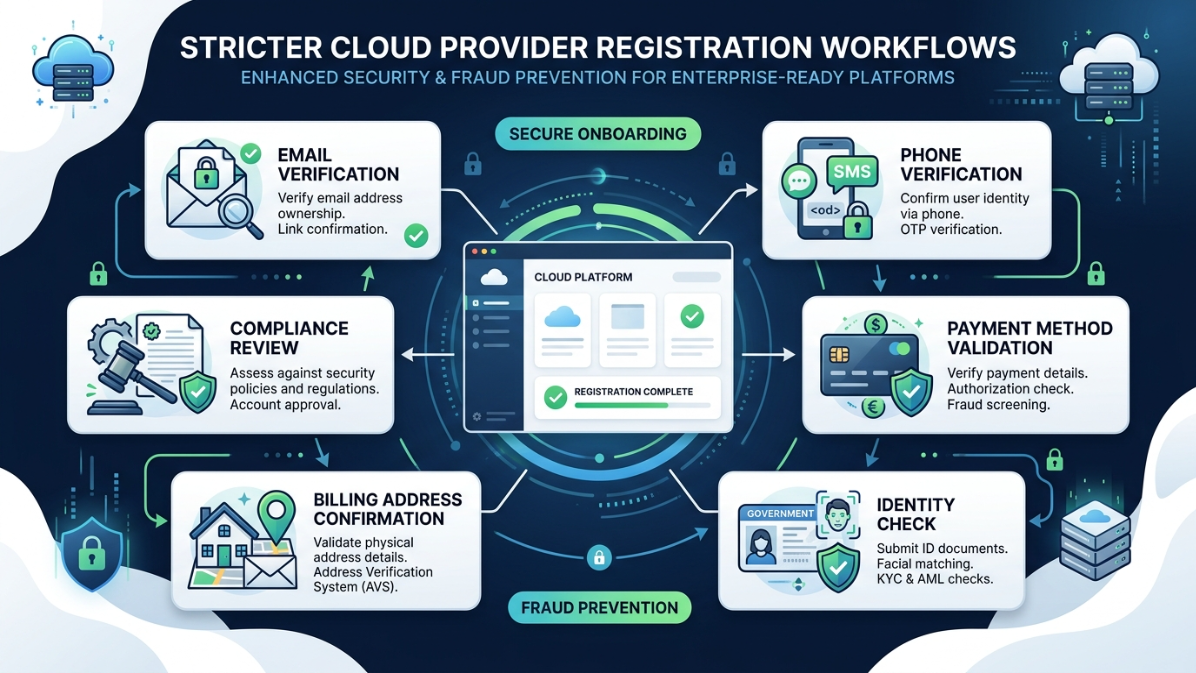
Cloud provider registration requirements are no longer as simple as entering an email address, choosing a password, and launching a server. Today, major cloud platforms often ask users to verify their identity, validate a phone number, add a payment method, confirm billing details, and sometimes complete additional checks based on country, account type, or risk level.
Quick Answer: Why Are Cloud Providers Making Registration Stricter?
Cloud providers are using stricter registration workflows to reduce fraud, prevent abuse of free trials, verify billing identity, protect production infrastructure, and meet regional compliance obligations. Google Cloud says it asks for name, address, and payment method during signup to verify identity and reduce fraudulent use of production infrastructure. Microsoft Azure also states that phone authentication helps identify users during sign-up.
In simple terms, cloud accounts can create powerful infrastructure within minutes. That convenience is useful for developers and businesses, but it also creates risk when bad actors try to open disposable accounts for spam, scams, unauthorized compute usage, crypto mining, or other abusive activity.
Cloud Provider Registration Requirements Are No Longer Just a Form
In the early days of cloud computing, opening a cloud account often felt like signing up for any online tool. Today, the process is more layered because cloud accounts can access compute, storage, networking, databases, AI tools, messaging systems, and other resources that can affect real customers and real infrastructure.
Evolving Identity Verification Standards for Digital Finance Platforms
AWS account setup, for example, includes email verification, password creation, contact information, account type selection, agreement acceptance, and billing information. AWS also notes that business and personal accounts may require different information for billing purposes.
This shows an important shift: cloud registration is not only about creating a login. It is also about confirming who is responsible for the account, how billing will work, and whether the user can be contacted if something goes wrong.
Why Cloud Providers Are Implementing Stricter Registration Workflows
1. To Reduce Fraud and Duplicate Free Trial Abuse
Free trials are attractive to legitimate developers, students, and startups. However, they can also be abused by users who repeatedly create accounts to access credits, computing resources, or restricted services.
Google Cloud directly explains that payment information during free trial signup is used to verify identity, reduce fraud, and create the Free Trial account. This does not mean every user is being treated as suspicious. It means the provider needs a basic trust layer before allowing access to real infrastructure.
For users, this explains why a cloud free trial may require a valid payment method even when the provider says there will be no automatic charge.
2. To Protect High-Value Cloud Infrastructure
Cloud platforms provide access to resources that can be expensive or sensitive. Virtual machines, GPUs, storage buckets, public IPs, email-related services, APIs, and AI workloads can be misused if account creation is too easy.
That is why some free trial environments include restrictions. Google Cloud’s Free Trial documentation says trial accounts may have limitations such as not being able to add GPUs, use Google Cloud Marketplace, request quota increases, or use certain restricted services before upgrading.
These limits help providers separate low-risk experimentation from production-level usage.
3. To Verify Payment Ownership
Payment verification is one of the most common parts of modern cloud registration. Providers want to know that the card or payment method belongs to a real user or organization and that billing details are accurate.
AWS has dedicated payment verification guidance, including checking whether the default payment method is verified, confirming that bank information is up to date, and completing bank-directed verification prompts when required.
This matters because cloud usage can scale quickly. A misconfigured server, unexpected workload, or compromised account can generate real charges. Payment verification helps reduce billing fraud and account misuse.
4. To Meet Regional Compliance Requirements
Cloud registration can also become stricter because of local regulations. Requirements may differ by country, especially where identity, billing, tax, data, telecom, or cybersecurity rules apply.
For example, AWS states that, for accounts in India, it must collect and validate identity information in compliance with Indian Computer Emergency Response Team requirements before granting new or continued access to AWS services.
This is why two users in different countries may not experience the same registration workflow, even when they choose the same cloud provider.
5. To Improve Account Recovery and Ownership Verification
Stricter workflows can feel inconvenient during signup, but they can help later if the account owner loses access to email, authentication devices, or billing tools.
AWS recommends saving account contact details because AWS Support can use those details to confirm identity if access is lost.
For business users, this is especially important. If one employee opens a cloud account using personal details and later leaves the company, the business may struggle to prove ownership or regain access.
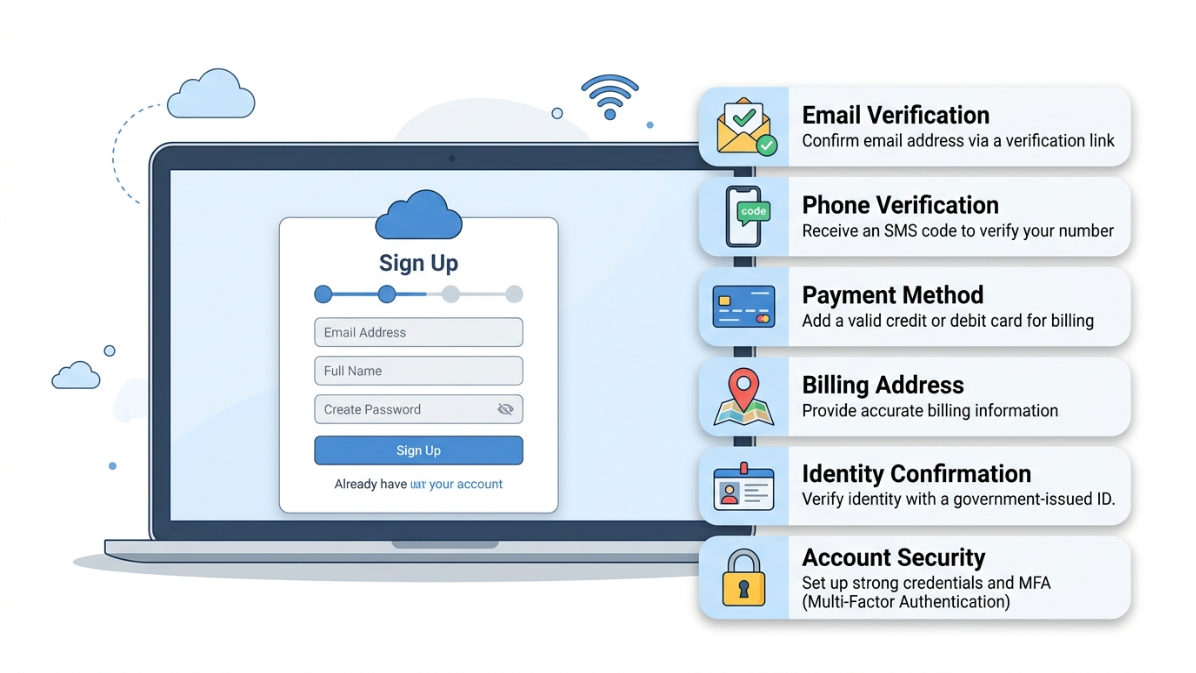
Common Steps in a Stricter Cloud Registration Workflow
| Registration Step | What It Usually Checks | Why It Matters |
|---|---|---|
| Email verification | Confirms access to the email address | Prevents fake or mistyped account creation |
| Password setup | Enforces secure account credentials | Reduces unauthorized access risk |
| Account type selection | Personal vs. business account | Helps billing, tax, and support workflows |
| Contact details | Name, address, phone, organization | Supports verification and recovery |
| Phone verification | SMS or call-based identity check | Reduces automated or disposable signups |
| Payment method verification | Valid card, billing address, bank checks | Reduces billing fraud and confirms responsibility |
| Regional identity checks | Country-specific documents or details | Supports compliance with local rules |
| Free trial restrictions | Limits access to high-risk resources | Prevents abuse before trust is established |
Microsoft Azure’s sign-up troubleshooting page explains that phone verification has specific requirements, including the ability to receive SMS or calls, and notes that VoIP numbers cannot be used for the phone verification process.
How Stricter Registration Affects Developers and Startups
For legitimate users, stricter cloud registration workflows can create friction. A developer may be blocked because the phone number cannot receive SMS. A startup founder may face a payment verification error because the billing address does not match the selected country. A student may not understand why a free account asks for card details.
Azure documentation notes that the billing address must be in the country or region selected during sign-up, and virtual or prepaid credit cards are not accepted for Azure subscriptions.
This means users should prepare before registration instead of rushing through the form.
How to Prepare Before Creating a Cloud Account
Before opening a new AWS, Azure, Google Cloud, or other cloud account, prepare the following:
- A real email address you can access immediately
- A strong password and a secure password manager
- A phone number that can receive SMS or calls
- A valid payment method accepted in your country
- A billing address that matches your payment profile
- Business details if creating an organization account
- Tax or identity information if required in your region
- A plan for who will own the root, admin, or billing account
For businesses, the most important rule is simple: do not let one random employee create the company’s main cloud account using personal information. Use a business email, business phone number, approved billing method, and documented ownership process.
Best Practices for Businesses Managing Cloud Registration
Use a Company-Controlled Email Address
A company cloud account should be connected to a business-controlled email address, not a personal Gmail, Outlook, or student email account. This makes ownership, recovery, compliance, and billing management easier.
Separate Billing Admins From Technical Admins
The person who manages billing does not always need full access to deploy infrastructure. Similarly, developers do not always need full access to payment methods. Separating roles improves security and accountability.
Document the Registration Details
Keep a secure internal record of:
- Account owner
- Billing owner
- Recovery email
- Registered phone number
- Payment method owner
- Support plan
- Country and tax details
- Identity documents used, if applicable
This information can be critical if the provider asks for verification later.
Plan for Multi-Factor Authentication Early
After signup, enable multi-factor authentication on root or owner accounts immediately. Registration checks help providers verify users, but MFA helps protect the account after it is created.
Avoid Workarounds That Look Suspicious
Do not use fake names, mismatched billing addresses, disposable emails, VoIP numbers, or random payment methods. These shortcuts can trigger verification failure, account suspension, or loss of access.

Why Free Trial Verification Feels Stricter Than Paid Account Setup
Free trials are often more tightly controlled because they offer access before a long billing history exists. Providers must decide whether an account is trustworthy before allowing it to create resources.
Google Cloud explains that after the free trial signup and verification process, the trial begins, and it also lists several restrictions during the free trial period.
This is why free trial accounts may face more friction around quotas, GPUs, marketplace access, or payment validation. The provider is trying to balance user access with infrastructure protection.
What To Do If Cloud Account Registration Fails
If your registration fails, do not keep repeating the same form with random changes. That can make the account look riskier.
Instead, follow this checklist:
- Confirm your phone number can receive SMS or calls.
- Avoid VoIP numbers if the provider does not accept them.
- Make sure your billing country matches your card country.
- Check that your billing address matches your bank records.
- Use a valid, supported payment method.
- Clear browser cookies or try a different browser if the verification page hangs.
- Contact official provider support if the issue continues.
Azure documentation specifically recommends checking phone number formatting, country code, SMS/call capability, and trying another eligible phone number if validation fails.
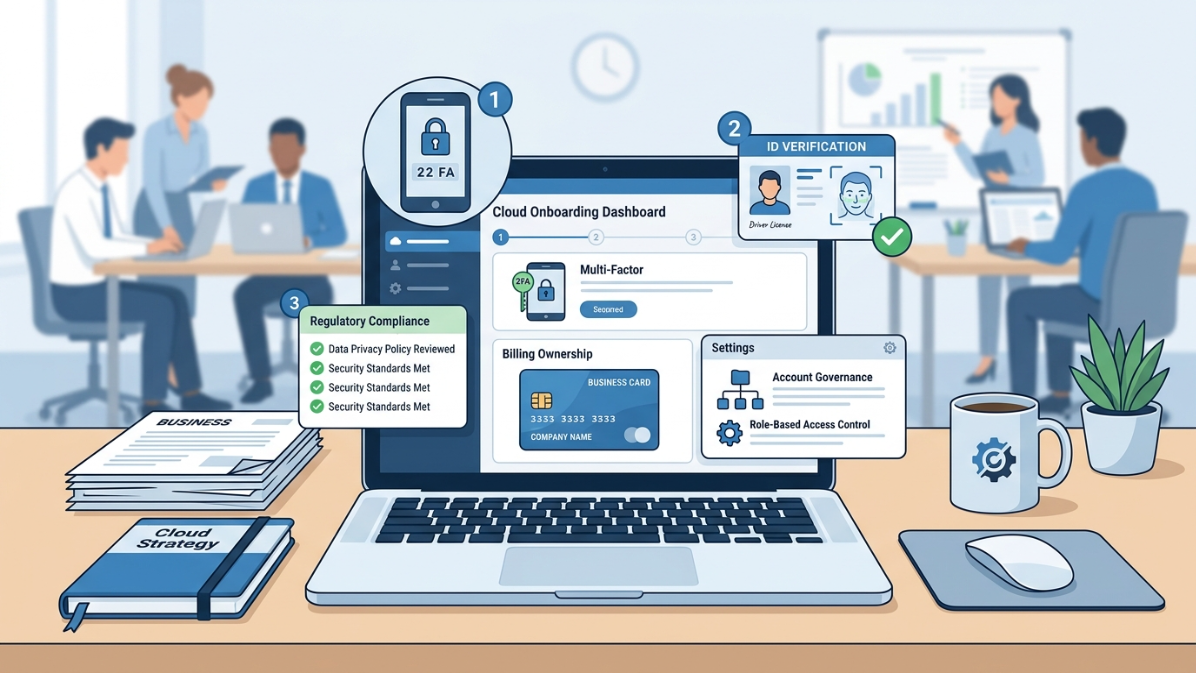
Expert Insight: Registration Is Becoming Part of Cloud Security
Cloud security does not start after a virtual machine is launched. It starts at registration.
The first sign-up workflow decides who owns the account, who can be billed, who can recover access, and whether the user is trusted enough to access production-grade infrastructure. For companies, weak registration practices can create long-term problems in governance, billing, compliance, and incident response.
A stricter workflow may feel slower, but it can reduce bigger problems later.
Conclusion: Stricter Cloud Registration Is About Trust, Not Just Friction
Cloud provider registration requirements are becoming more layered because cloud platforms are powerful, global, and frequently targeted for abuse. Email verification, phone authentication, payment validation, billing checks, free trial limits, and regional identity requirements all help providers confirm that the person or business opening the account is legitimate.
For developers and startups, the best approach is to prepare accurate information before signing up. For businesses, the registration process should be treated as part of cloud governance, not just a quick setup task.
A clean, accurate, and well-documented registration workflow can prevent failed verification, billing issues, account recovery problems, and unnecessary delays when your cloud project is ready to launch.
FAQs
1. Why do cloud providers ask for payment information during a free trial?
Cloud providers may ask for payment information to verify identity, reduce fraud, and create the free trial account. Google Cloud states that payment information is used for identity verification and fraud reduction during free trial signup.
2. Does payment verification mean I will be charged immediately?
Not always. Some providers may place a temporary authorization hold to validate the payment method. Google Cloud says its authorization request is a temporary hold and not an actual charge.
3. Why does Azure require phone verification?
Azure uses phone authentication to help identify users during the sign-up process. Microsoft also notes that VoIP numbers cannot be used for phone verification.
4. Why was my cloud account registration rejected?
Common reasons include unsupported phone numbers, mismatched billing country, invalid payment method, prepaid or virtual cards, duplicate free trial usage, incomplete identity information, or regional restrictions.
5. Are business cloud accounts different from personal cloud accounts?
Yes. Business accounts often require more accurate organization details, billing ownership, tax information, and recovery planning. AWS notes that business and personal account types may require different information for billing purposes.
6. How can startups avoid cloud registration problems?
Startups should use a company email, valid business contact details, a supported payment method, accurate billing information, and documented account ownership. They should also enable MFA immediately after account creation.
7. Are stricter registration workflows bad for users?
Not necessarily. They can create friction, but they also help protect infrastructure, reduce abuse, improve account recovery, and support compliance. The key is to prepare correct information before starting the signup process.